

With the release of Yellowfin 9.17, we are making analytics feel more conversational, more flexible, and easier to use in the moments that matter. We are moving beyond single-question searches to actual conversations with your data.
Here is a breakdown of the powerful new features you can expect in Yellowfin 9.17.
The fun part of data analysis: Chatting with your data
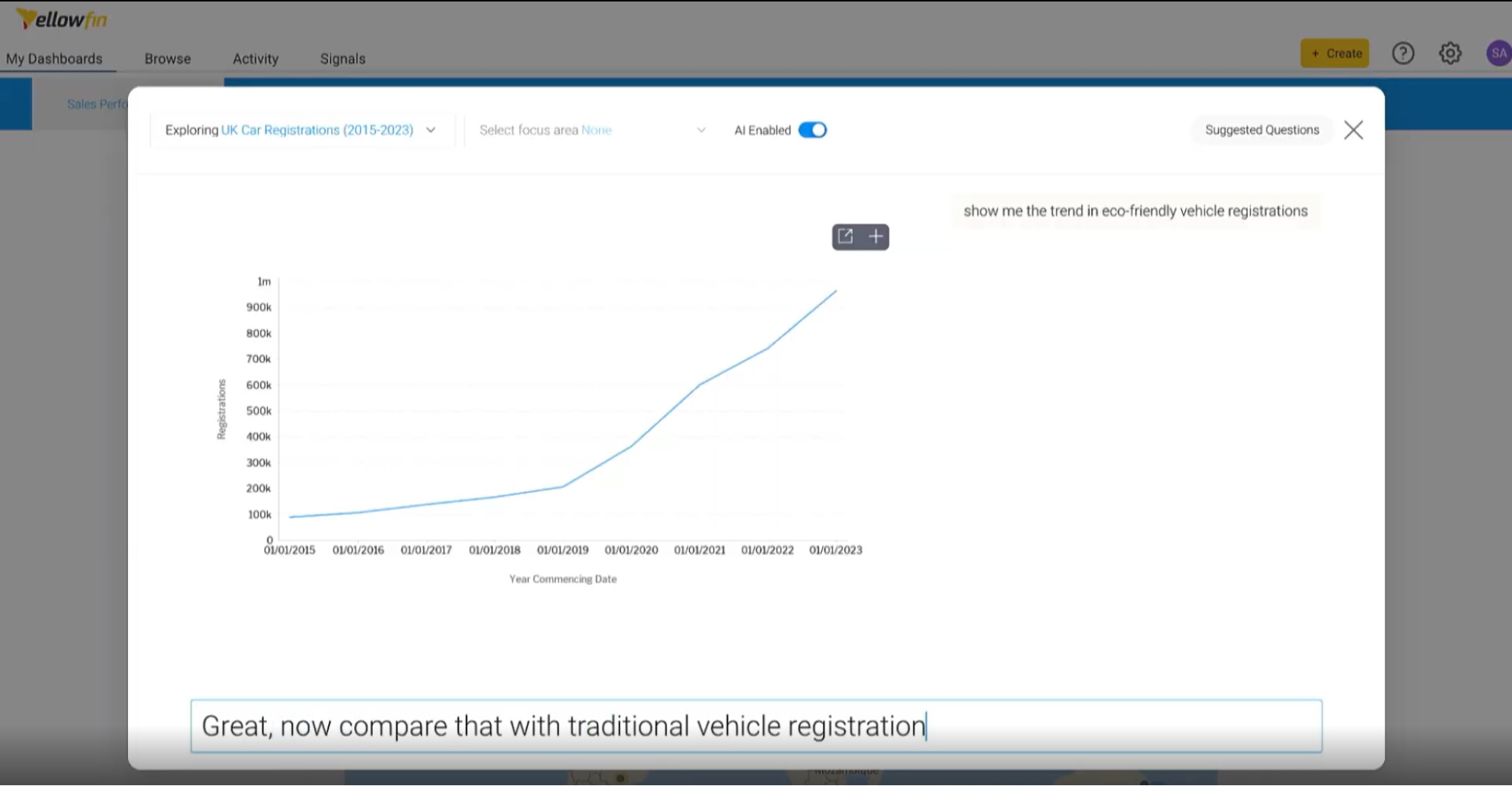
Traditionally, asking complex data questions meant understanding charts, filters, and dimensions before you could get answers. We previously introduced Natural Language Query (NLQ) to let you ask questions in plain English, but Yellowfin 9.17 takes this to a whole new level.
Conversational Generative AI.
The AI-enabled NLQ interface has been completely redesigned into a smooth, chat-style experience. Here is what makes it so powerful:
- Context is carried forward: You no longer have to restart your filters or dimensions when asking a follow-up question. If you ask about sales, and follow up with "what about last quarter?", Yellowfin naturally understands what you mean.
- Scrollable history: Your previous questions and answers stay visible on the screen, helping you keep your train of thought going.
- Direct AI-to-Insight workflow: The answers you get from AI don't just sit there. You can instantly turn them into Reports, Stories, Dashboards, or Presentations with a single click.
- Expanded model support: We've enabled the AI layer to understand and work with the latest models from OpenAI, Anthropic, Google, and Azure, giving you the flexibility to handle incredibly complex analytical queries.
Taking BI on-the-go with a Responsive UI

With 9.17, we are kicking off Phase 1 of our responsive UI rollout. Core areas of the platform, including the top navigation, Browse page, NLQ interface, and Stories page, now dynamically adjust to fit the diversity of screen sizes found across today’s multi-device world.
Dialogs and pop-ups automatically scale, menus collapse where needed – usability and functionality is preserved.
Putting you in control of your reports
We want to empower business users to personalize their data views without breaking governance or needing a developer. Yellowfin 9.17 introduces new self-service interactivity controls that give you more power over your reports:
- The All-New Column Picker: Users can easily choose which columns to display, hide, and rearrange in real time directly within the report output.
- Flexible Field Visibility: Administrators can now mark fields as "Always Included," "On by Default," or "Off by Default".
- Row-Level Conditional Formatting: You can now apply formatting colors across an entire table row, making it easier to instantly spot exceptions, trends, and alerts at a glance.
Enterprise scale without the headache
While the front-end features are exciting, we've also made major improvements under the hood.
Yellowfin 9.17 is optimized for multi-tenant enterprise scalability, meaning a single deployment can now scale to thousands of Client Organizations without any degradation in performance.
We've also added expanded import options for both the UI and REST APIs, alongside a highly requested SSO session option that allows users to be redirected to a specific application URL right after logging in.
Final thoughts
At the end of the day, real business decisions are rarely "one-and-done". They require exploration, follow-up, and real-time visualization.
Yellowfin 9.17 makes it easy to move from asking questions in plain language to building governed, dashboard-ready visuals.
By combining user simplicity with enterprise scale and governance, this release helps teams react faster and align around data-driven actions.