
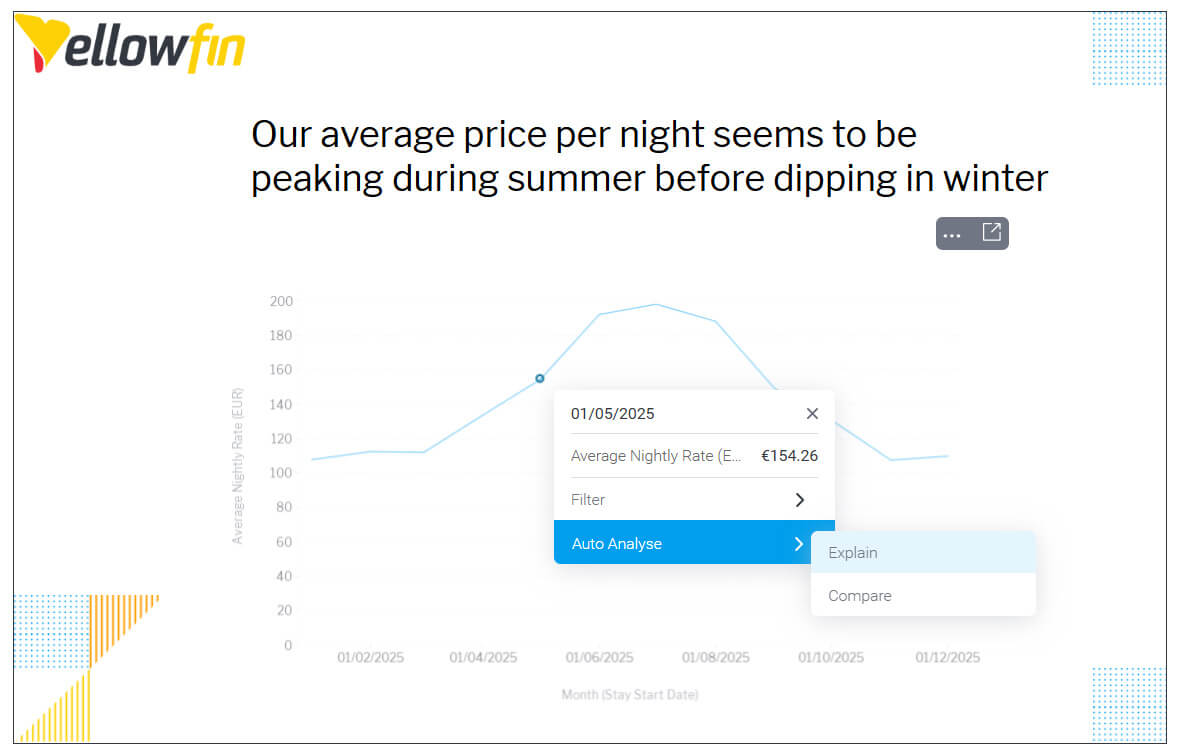
What is the problem with traditional presentation software?
But there is a major gap these tools can have. Data is often “frozen” in history. By the time you plug your HDMI into the office TV, 15 new orders have come in, stock levels have changed, the carefully-woven narrative you prepared to illustrate statistics and trends is now potentially stale and, at worst, inaccurate. One of the reasons we built Yellowfin Present was to give customers a way to show their findings in real time so that everyone in the company has an up-to-date prescient view of how the business is doing and where to go next.
By the time the meeting starts, you’re already out of date and, potentially, making decisions that are obsolete from the moment you present them.
This is even true if you have embedded data into your presentation software’s slide deck; typically they are snapshots that refresh when you open the presentation and they often don’t or can’t be updated by people to whom you share the presentation file unless they too are given direct access to the underlying data.
That’s a potential security risk and possibility even comprises your obligations to safeguard certain types of PII and private materials.
Why is Yellowfin Present better than using traditional presentation software?
The second problem with traditional presentation software is that every presentation is static. Someone asks you “what if we exclude last week?” and you are unable to respond. Embedded tables and graphs can only take you so far. They’re not alive, and they are almost always fixed to a certain chart style or graphic representation.
When you present with Yellowfin, you have the ability to drill into, compare, and explain from a single click - and just as easily change the chart or infographic from one style to another, with another click too. Your presentation deck is alive and it genuinely empowers you.
Plus, the charts are interactive with drill-downs and tools to refine your selections, and most importantly, sync in real time as the underlying data changes. Plus those tools are intelligent so you can ask them to explain a result or compare it with other criteria and sources.

What you can do in Yellowfin Present?
With Yellowfin Present you can do anything you would expect from PowerPoint but go way beyond by using its unique capabilities outlined above.
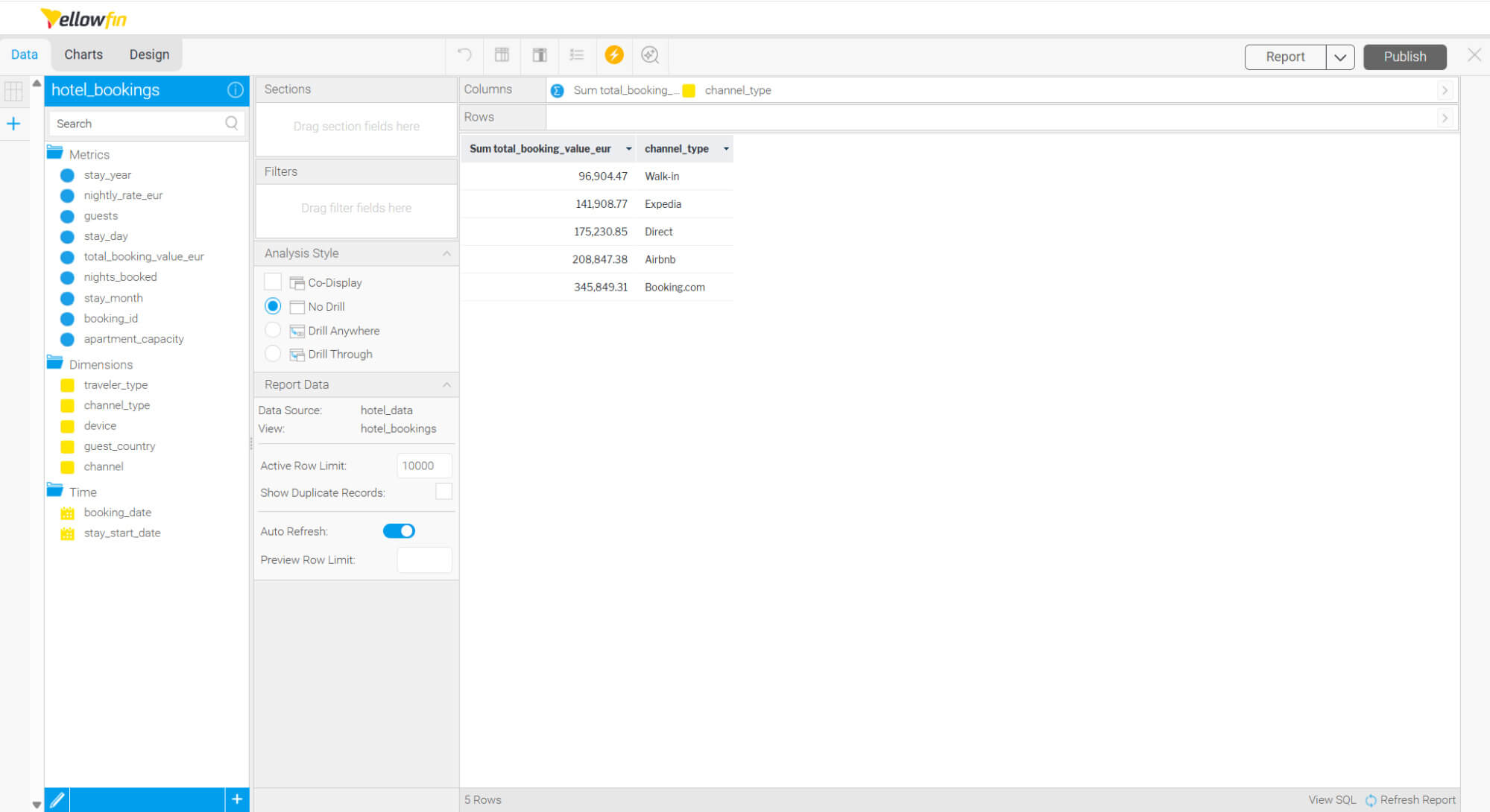
You can, of course, add text, images and videos but more importantly, you can add live, editable reports into a free form canvas. You can create these reports on top of what we call Views, which are basically the layer between your database and Yellowfin.
Also, to create a report, you can either use the manual report builder where you drag and drop your variables into rows and columns…
…or ask Yellowfin a question such as “Show me monthly revenue by channel” and get the report built by Yellowfin for you, automatically.
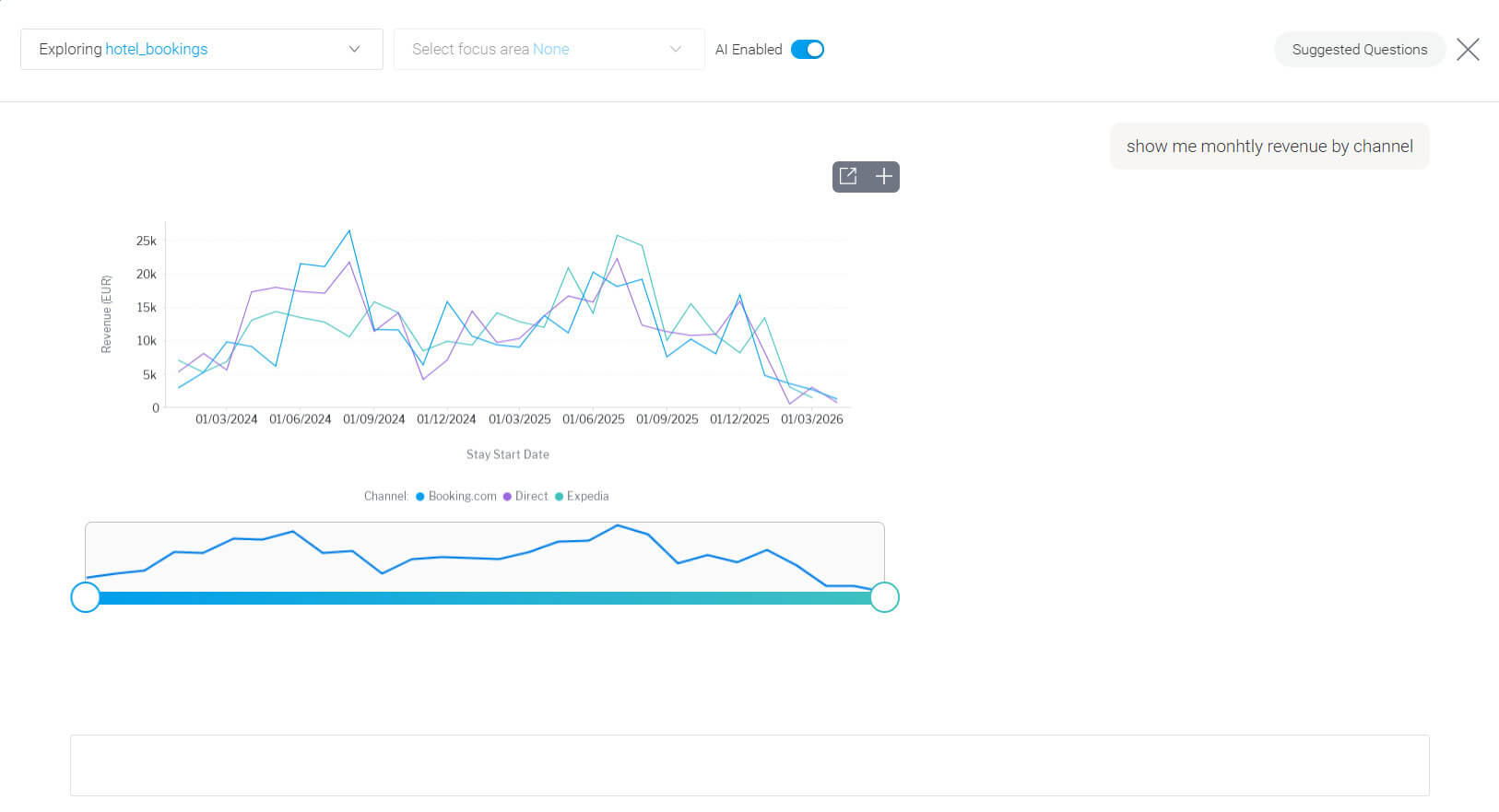
From here, simply click on the plus button and add the report to your presentation.
How can I make my presentations better using Yellowfin Story feature?
Back to the Present editor, let’s add a country filter to the report we’ve built in case we want to see guests from Poland only.
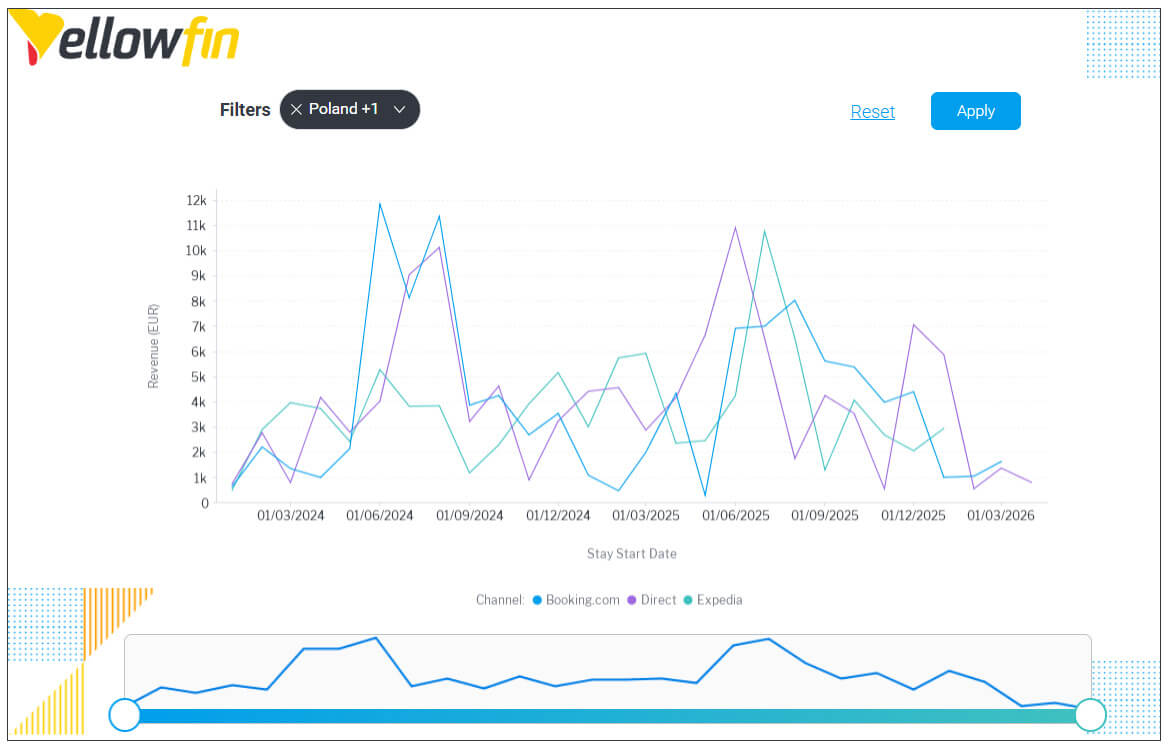
We can see that guests from Poland prefer to make direct reservations instead of relying on an online travel agency.
Another neat thing you can do is link a Story within your presentation. This gives your team the ability to dive deeper into specific areas of your analysis.
Writing a Story lets you expand your narrative and unlike Present, follow a more blog-style format that is more suitable for reading instead of presenting.
Final thoughts on why Yellowfin is the best business presentation choice
The days of static, outdated presentations are behind us. In a world where data changes by the minute, your presentations should too.
Yellowfin Present gives you the confidence to walk into any meeting knowing your insights are current, your data is accurate, and you're ready to answer questions on the fly, not stuck scrambling to explain why your numbers don't match reality anymore.
Whether you're presenting to executives, clients, or your team, the ability to interact with live data doesn't just make you look good, it helps everyone make confident decisions, faster based on accurate and up to date facts.
Want to build your presentation with Yellowfin, for free? Sign up for the Yellowfin playground and explore the presentation editor.
Or, if you are ready to work on your own data, we’ll set you up with trial access so you can explore Yellowfin in peace for a full month.
1: Robert Gaskins, Sweating Bullets: Notes about Inventing PowerPoint, San Francisco and London: Vinland Books, 2012, pp. 163-165