
What is an analytical application?
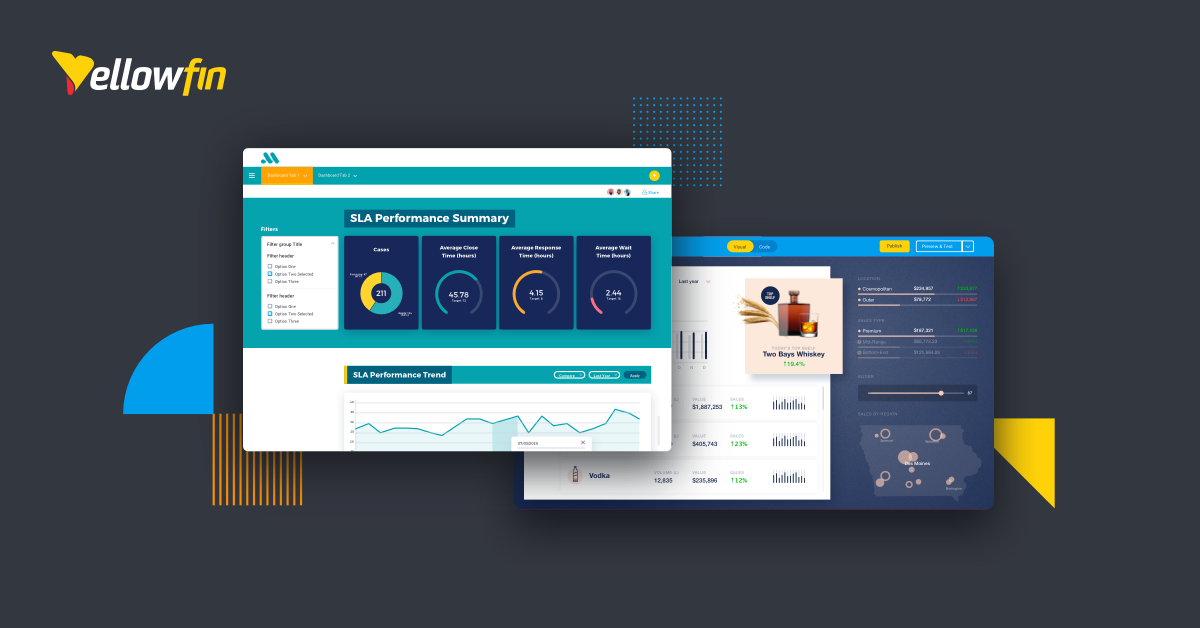
Analytical applications, or analytic apps, are pre-packaged business intelligence (BI) capabilities, such as self-service dashboards, reporting and data visualizations, that help end-users measure and improve operational performance, within the transactional systems people use for their daily work.
These bundled analytics tools help organizations facilitate and increase the adoption of self-service BI practices among regular business users in a specific operational domain, such as finance, marketing and sales. It does so by improving the availability and measurement of important, relevant historical data for your end users’ decision-making.
An analytical application is not limited to one sector or industry; they can be built, deployed and applied to many different types of transactional systems and business use cases. They work best when combined with areas of deep domain knowledge, in that they address gaps in workflows or data needed by the organization to take action.
Whether they are built internally by your team or delivered out-of-the-box by a third-party, analytical applications essentially come to your business users as a specially curated analytics platform.
How does an analytical app work?
Analytical apps are designed to be accessible, ready-to-use BI experiences suitable for a wide range of users, with a user-centered design to provide a logical, consistent layout that focuses on key metrics. These apps enable simplified self-service exploration to better discover and break down insights, and often include intuitive best practice wizards that help guide users toward what they want to analyze in their given area.
For developers, analytic app packages also include pre-made connectors for simplified integration with standard business apps, predefined data models, and no-code or low-code app development environments to make building tailored BI experiences easier.
A hiring manager, for example, might be given a tailor-made analytical app that presents them data showing how many interactions the business has had with recruitment firms. They can view insights around how many people the firm has recruited in a 12 month period, where they have been recruited, and the retention rate in each business unit.
The analytical app in this above instance has been built to offer a very deliberate user experience for the user and the job they need to do. Rather than delivering hundreds of reports and dashboards, the end-user benefits from a highly targeted analytical experience, ensuring they gain more value from data they have, for better decisions.
Where do analytical applications fit?
Analytical applications commonly fill three gaps within typical operational applications:
- Where either the data within an operational app required for a decision is lacking
- The application does not have required workflows to take appropriate action
- The data within the app needs additional processing to enable effective decisions
These applications tend to support highly functional decision-making or specific operational workflows, and as such have a lot of domain expertise baked into them. They also tend not to be generic business intelligence-type applications.
Essentially, if data is required from multiple sources systems to enable an end-user to act, then analytical applications can help greatly.
For instance, marketing analysis might require data from content management systems (CMS) like HubSpot and traffic monitoring software like Google Analytics, while sales forecasting might require data from Salesforce and the user’s finance system. In both examples, merging the two data sets together in the same interface can provide a bigger picture to the end-user and help improve their data-led decision-making process.
When are analytical applications best used?
Analytical applications are best used when the primary operational app a user relies on for their daily work does not provide the data in a format that makes decision-making easy, or does not have the internal workflows necessary that allow users to take action.
Building an analytical application for end-users to leverage, alongside the normal core apps they use for their everyday operational tasks, fills these gaps, and is an effective solution to ensure end-users are still using data appropriately when they make decisions.
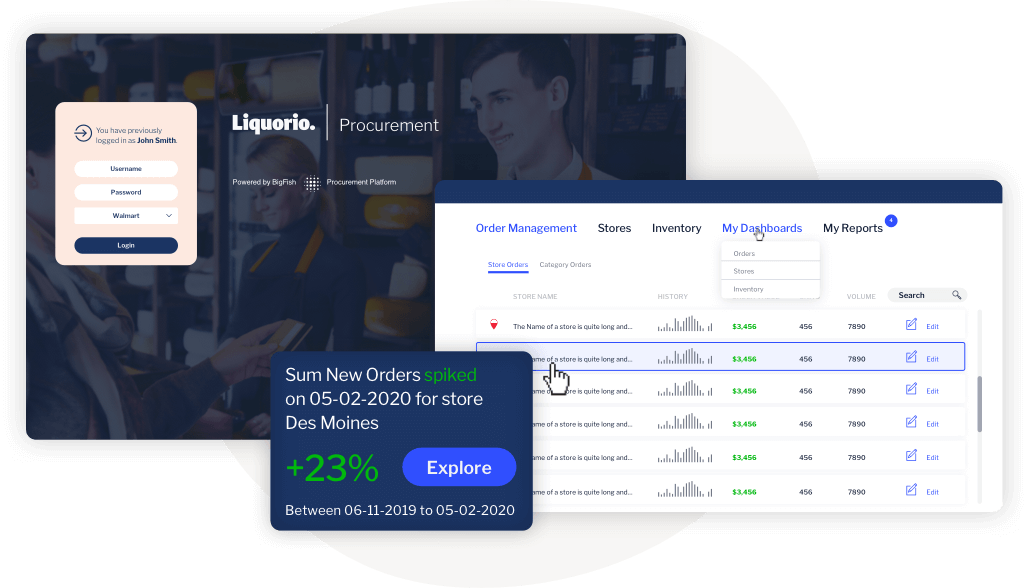
In this scenario, you would extract data from the source system and build operational workflows into your application. Using the marketing and sales examples from earlier, although you may be able to build a dashboard in a CMS or CRM like HubSpot and Salesforce, the dashboard does not facilitate the ability for users to action the opportunity directly from the dashboard. In reality, the end-user must first navigate to the opportunity to do so. This creates friction in the operational workflow that can be addressed by building actions directly into a dashboard.
Sometimes, data in an application needs additional processing – for instance, you want to run a data science model over the data to predict an outcome. In this case, delivering the outcome back to end-users can be difficult via the originating application.
Once again, you can solve this problem via an analytical application. So if you want to predict which customers are likely to buy an upgrade, you can extract your Salesforce data, run your model, and deliver the results in a dashboard to the sales sector, who can then take action on the most highly likely buyers and make them an offer - all directly from an analytical application.
Which solutions are best for building analytical applications?
The most robust modern business intelligence platforms offer a full breadth of tools to allow organizations to prototype, develop, extend and deploy unique data-driven applications of varying complexity into operational apps for their customers and users.
Yellowfin is designed for building bespoke analytical applications to fit both enterprise and embedded analytics use-cases. You can build many types of data, event-driven, and adjacent apps for all kinds of sectors, irrespective of complexity, performance, or scale:
Data Apps - Sophisticated dashboards with continuously updated data that may have operational workflows embedded in them to enable users to update third-party apps.
Live Stories - Dashboards and reports that keep users up-to-date about a particular event, used when you are tracking an event over a period of time and want to provide users with updated data and explanations as events unfold.
Point-in-Time Stories - Dashboards and reports that explain changes and or provide an update. Like a data journalism article, they are data stories about a subject area or event.
Standalone Applications - Analytical applications that look and behave like stand-alone applications that enable full control over the end-user BI experience. These can be hosted and delivered as a service to your clients, and are able to be fully white labelled and rebranded to sell them as your own solution. You can limit functional access for users to the rest of Yellowfin’s capabilities, and through custom navigation you can create your own bespoke navigation around your application.
For a guide on building analytical applications with solutions like Yellowfin, check out our best practice app development article.
Analytical applications: Why you need them
The highly curated, tailor-made experiences of analytical applications exist because IT-led BI solutions don't always resonate with today's average business user. With a focus on delivering ready-to-use analytics built to a user's specific needs, they are ideal for ensuring users gain more value from their data. They can even be white-labelled!
By providing all the building blocks of essential BI capabilities in a conveniently bundled software solution, analytical applications help make adoption of BI is easier, insights can be delivered faster to drive action, and value can be more rapidly delivered to customers.
Take the time to choose the right solution with all the tools you need across the app development lifecycle, so you can start building highly customized analytic experiences.
Analytical Applications FAQs
What is an analytical application?
An analytical application is a pre-packaged business intelligence experience that combines dashboards, reporting, and data visualizations within operational systems. It is designed to help end-users make faster, data-driven decisions within their daily workflows.
How is an analytical application different from traditional BI?
Traditional BI often delivers generic dashboards and reports. Analytical applications are purpose-built for a specific operational role or domain, embedding curated insights and workflows directly into business processes.
Where do analytical applications fit within an organization?
Analytical applications sit alongside transactional systems such as CRM, CMS, or ERP platforms. They bridge gaps where operational apps lack sufficient analytics, workflow actions, or processed data for decision-making.
When should a business use an analytical application?
Organizations should consider analytical applications when their core operational systems do not present data in a decision-ready format or when users must switch systems to take action on insights.
Can analytical applications combine data from multiple systems?
Yes. Analytical applications can merge data from multiple sources such as Salesforce, finance systems, or marketing platforms to provide a unified and actionable view of performance.
Do analytical applications support operational workflows?
Unlike static dashboards, analytical applications can embed workflows that allow users to take action directly from the analytics interface, reducing friction in day-to-day processes.
Are analytical applications suitable for non-technical users?
Yes. They are designed with user-centered layouts, guided exploration features, and simplified interfaces to support business users without requiring advanced technical expertise.
Can analytical applications include predictive or advanced analytics?
Yes. Analytical applications can integrate processed data, including outputs from data science models, enabling users to act on predictions and insights directly within the application.
Are analytical applications customizable or white-labeled?
Many modern BI platforms allow analytical applications to be fully customized, embedded, and white-labeled, enabling organizations to deliver branded analytics experiences to internal or external users.
Why are analytical applications important for BI adoption?
Because they deliver curated, role-specific insights within familiar workflows, analytical applications reduce complexity and improve user adoption compared to generic BI environments.
Accelerate the development of your analytical applications today
Yellowfin lets you combine your unique industry or functional IP with its suite to bring curated analytical experiences for customers and users based on their needs - and rebrand apps you create with it to truly make it your own.