
Combination chart – line in front of bar
30 April, 2014
In a combination chart, is there a way to ensure a line subchart is in front of a bar subchart WITHOUT making the line subchart chart1?
Hi,
Thanks for your query.
In a Combination Chart the Sub Charts act as layers, placing chart 1 in front, chart 2 behind etc. This means that the only way to place a line chart in front is if you keep at as chart 1.
I hope this helps.
Regards,
Katie
Thanks for your query.
In a Combination Chart the Sub Charts act as layers, placing chart 1 in front, chart 2 behind etc. This means that the only way to place a line chart in front is if you keep at as chart 1.
I hope this helps.
Regards,
Katie
I don't follow - if that's the case, when I change the chart type from line to bar and bar to line, they should swap if they are layers based on the sequence in the multi-chart. But the line always ends up behind the bar. Can you tell me if anything is in the pipeline to be done about this please?
Hi,
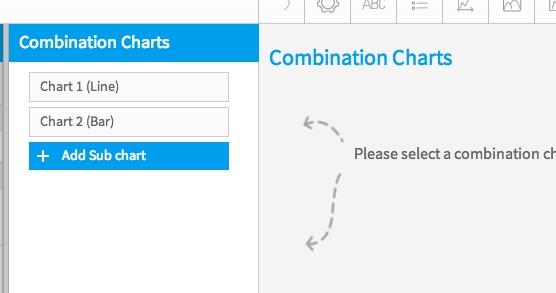
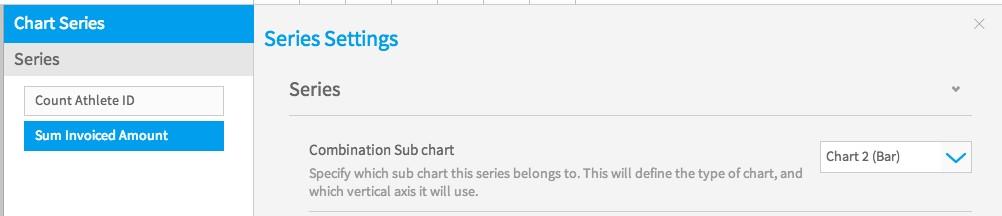
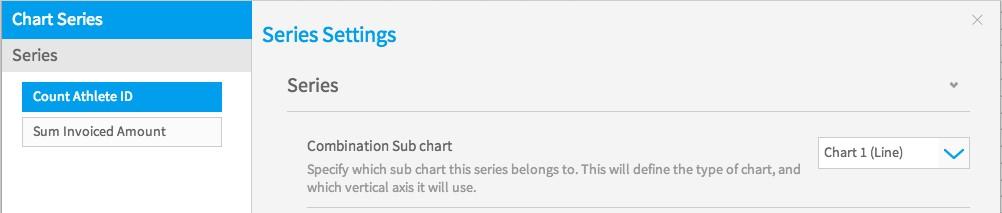
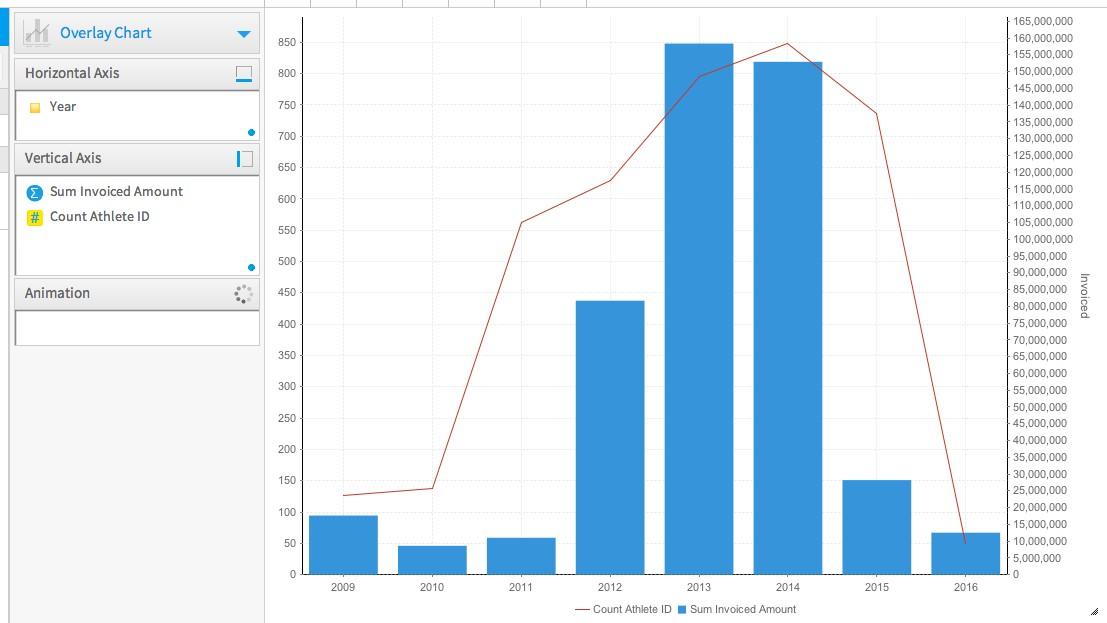
I hope these screenshots may assist in setting the line chart as the front chart. As the previous post the chart you wish to display, as the line chart has to be set a Chart 1 because of how the charts layer. The selection in the Combination Chart Menu is where the order is set for the chart layers. Once this is selected the fields you wish to display are then set at the series menu.

I have had a look to see if there are any changes planned for the combination chart but there is nothing on the road map, at this stage.
Can I ask what scenario you have where you need the line chart not to be chart 1? I can then look into this further for you.
I look forward to hearing from you.
Kind Regards,
Katie
I hope these screenshots may assist in setting the line chart as the front chart. As the previous post the chart you wish to display, as the line chart has to be set a Chart 1 because of how the charts layer. The selection in the Combination Chart Menu is where the order is set for the chart layers. Once this is selected the fields you wish to display are then set at the series menu.
I have had a look to see if there are any changes planned for the combination chart but there is nothing on the road map, at this stage.
Can I ask what scenario you have where you need the line chart not to be chart 1? I can then look into this further for you.
I look forward to hearing from you.
Kind Regards,
Katie
Thanks Katie - that's the clarification I needed - all is good with the world once more and my layers are working as expected...
Hi Kevin,
That is great to hear, thanks for dropping us a post.
Nice to hear the layers are sitting nicely. :)
Kind Regards,
Katie
That is great to hear, thanks for dropping us a post.
Nice to hear the layers are sitting nicely. :)
Kind Regards,
Katie