
How do I calculate and show the differences of each row within the same column?
6 January, 2014

Hi,
I am wanting to add some columns to an existing report that will calculate and show the change between each month/period of a column of data.
For example: If my first column is an ascending month column and my second column is the number of units sold on that month - how can I add another column showing the difference between each month? (ie: April total units sold - May total units sold = X)
Calculated fields only seem to calculate between columns and not rows which is what I would like to achieve here.
If the answer is really simple and is staring me right in the face and I've failed to notice it, please forgive me.
also - the attached image is in excel, I hope it still makes sense as to what i'm trying to achieve here.
Cheers,
Nathan
Hi Nathan,
I wouldn't say the answer is really simple - some things are easier in a spreadsheet and others are easier in a db, and this problem belongs in the first category.
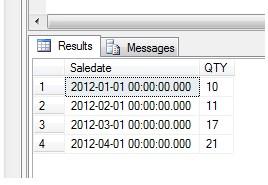
Here is the simple test data I used:

You'll need to create to Freehand SQL Calculated Fields in your view called month and month-1 that return the month as an integer from your DateTime field:
(the "month" calculated field is the same as above but without the "- 1")
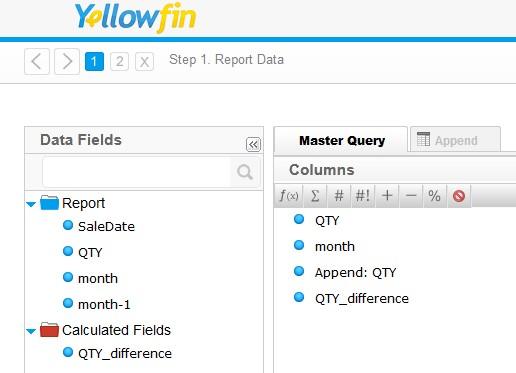
Then in your report set up a Master query and an Append Sub query as below:
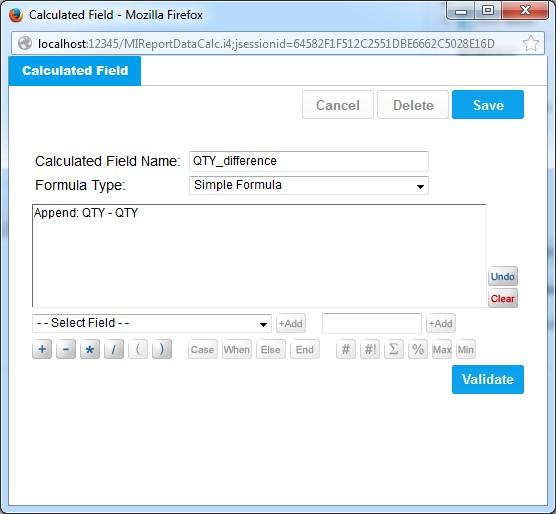
And then create a Calculated Field in the report that subtracts the sub query QTY from the main query QTY:
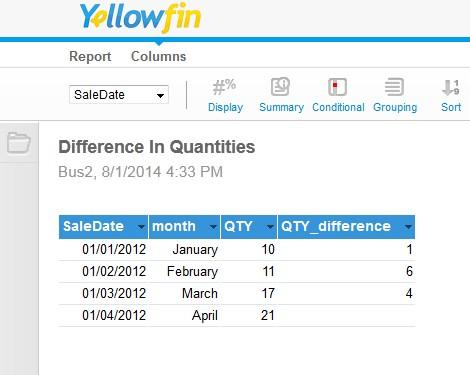
and here is the report output (Org Ref Codes were used to change the month integer to the month name)
I hope that makes sense, if something needs further clarification then please don't hesitate to ask us.
regards,
Dave
I wouldn't say the answer is really simple - some things are easier in a spreadsheet and others are easier in a db, and this problem belongs in the first category.
Here is the simple test data I used:
You'll need to create to Freehand SQL Calculated Fields in your view called month and month-1 that return the month as an integer from your DateTime field:
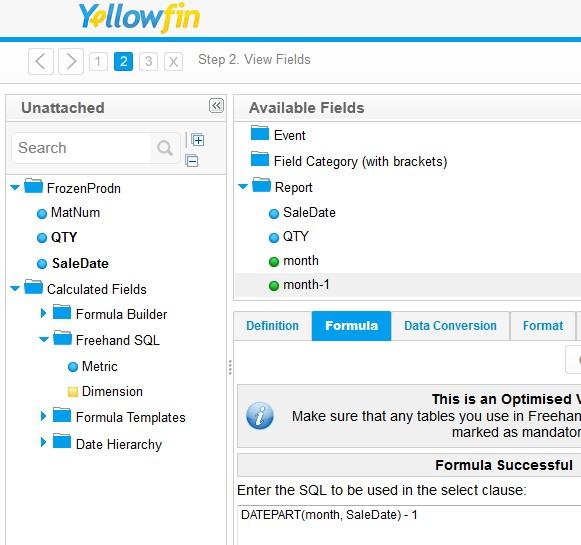
(the "month" calculated field is the same as above but without the "- 1")
Then in your report set up a Master query and an Append Sub query as below:
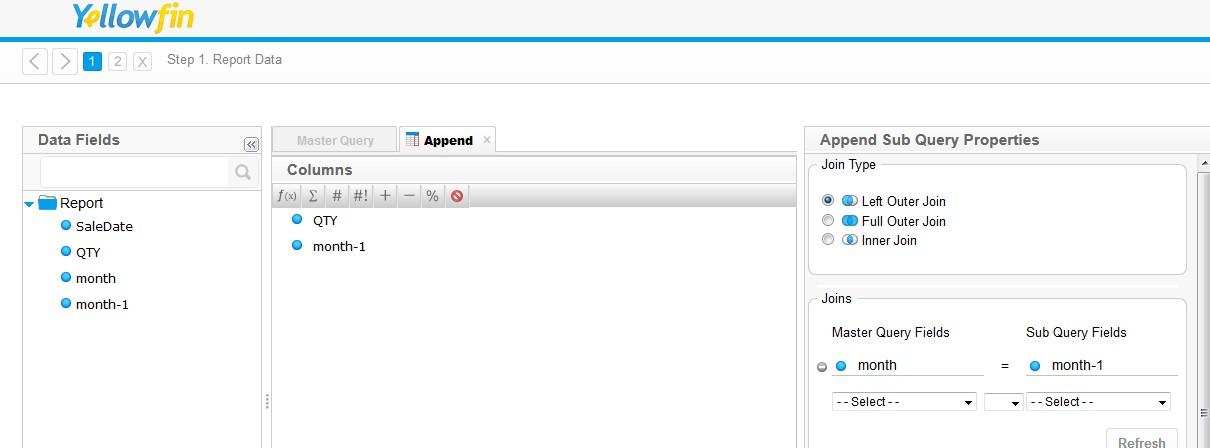
And then create a Calculated Field in the report that subtracts the sub query QTY from the main query QTY:
and here is the report output (Org Ref Codes were used to change the month integer to the month name)
I hope that makes sense, if something needs further clarification then please don't hesitate to ask us.
regards,
Dave
Hi Dave,
Fantastic - thank you for this!
Cheers,
Nathan
Fantastic - thank you for this!
Cheers,
Nathan