
How to Format Totals in Cross Tab report
1 July, 2014
Hi guys,
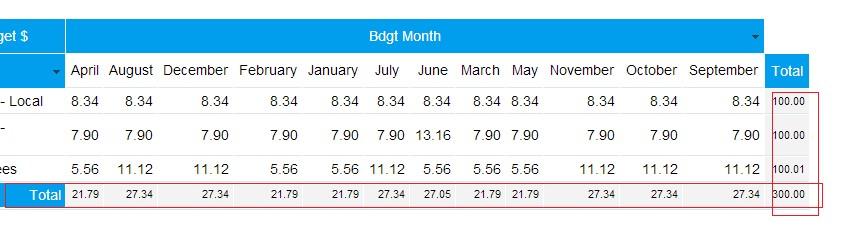
Is there any option in YF 7.0 to format data in automatically calculated Column and Row Totals in a cross tab report? I want to be able to change font size and cells background.
Thanks
Is there any option in YF 7.0 to format data in automatically calculated Column and Row Totals in a cross tab report? I want to be able to change font size and cells background.
Thanks
Hi Jenny,
Yes there is a way to format the calculated column and row totals for a cross tab report. On the data page if you head to Column Formatting and select the measure you need to apply the changes too, click SUMMARY and select CUSTOM on style and you will be able to change the font, size etc.

I hope this helps you with your query but if you have any further questions, please let us know.
Kind Regards,
Katie
Yes there is a way to format the calculated column and row totals for a cross tab report. On the data page if you head to Column Formatting and select the measure you need to apply the changes too, click SUMMARY and select CUSTOM on style and you will be able to change the font, size etc.

I hope this helps you with your query but if you have any further questions, please let us know.
Kind Regards,
Katie