
Minimum Password Length Setting
4 February, 2013
David,
How do you set the minimum password to be different from 4 as per the YF login sceen error message?
I have altered the configuration value PASSWORDLENGTH to various values, restarted YF and the login form still specifies a minimum of 4 characters.
I am integrating YF to an existing application and want to align the minumum password length.
Ian
Pasword Length Screen
YF standard login screen login error message.
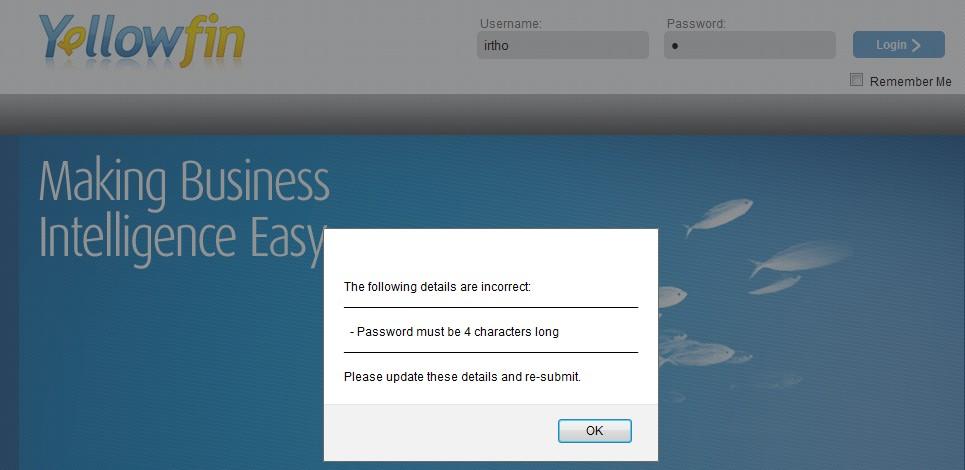
How do you set the minimum password to be different from 4 as per the YF login sceen error message?
I have altered the configuration value PASSWORDLENGTH to various values, restarted YF and the login form still specifies a minimum of 4 characters.
I am integrating YF to an existing application and want to align the minumum password length.
Ian
Pasword Length Screen
YF standard login screen login error message.
Hi Ian,
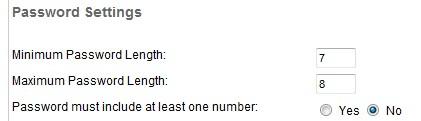
the actual length of the password does change according to the password length in the Configuration, the issue here is that the login page error message doesn't reflect the password length. For example, here the password minimum length has been set to 8 characters, so when I enter a new password of 4 characters for a user the following message appears:

and then when the user logs in with the temporary password and is prompted to enter a new one, the following error message tells the user to use 8 characters:
A product defect has been raised for the login page error message, its support task ID is 125147 and it is on the list to be discussed and allocated at next week's development meeting.
Regards,
Dave
the actual length of the password does change according to the password length in the Configuration, the issue here is that the login page error message doesn't reflect the password length. For example, here the password minimum length has been set to 8 characters, so when I enter a new password of 4 characters for a user the following message appears:
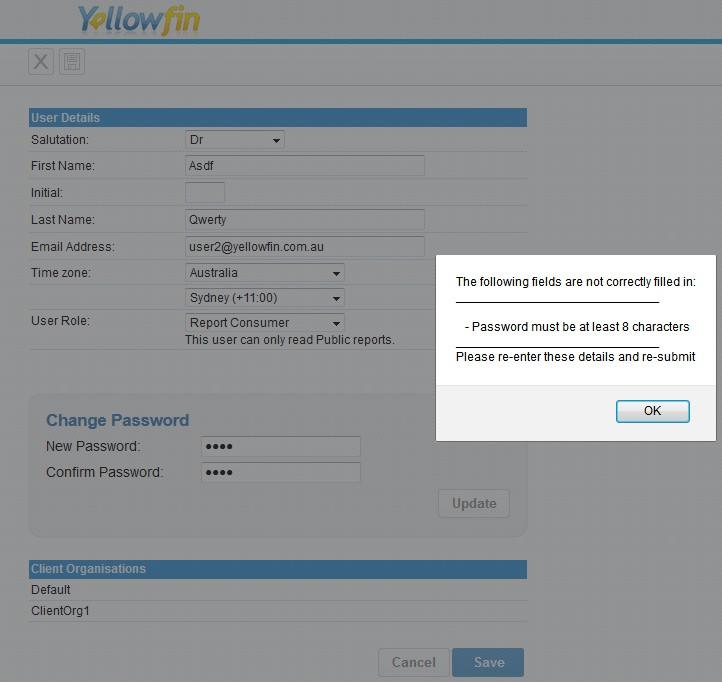
and then when the user logs in with the temporary password and is prompted to enter a new one, the following error message tells the user to use 8 characters:
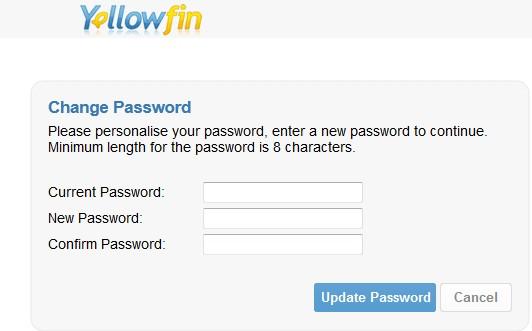
A product defect has been raised for the login page error message, its support task ID is 125147 and it is on the list to be discussed and allocated at next week's development meeting.
Regards,
Dave