
Collaborative BI That Drives Action: From Shared Insights to Shared Accountability
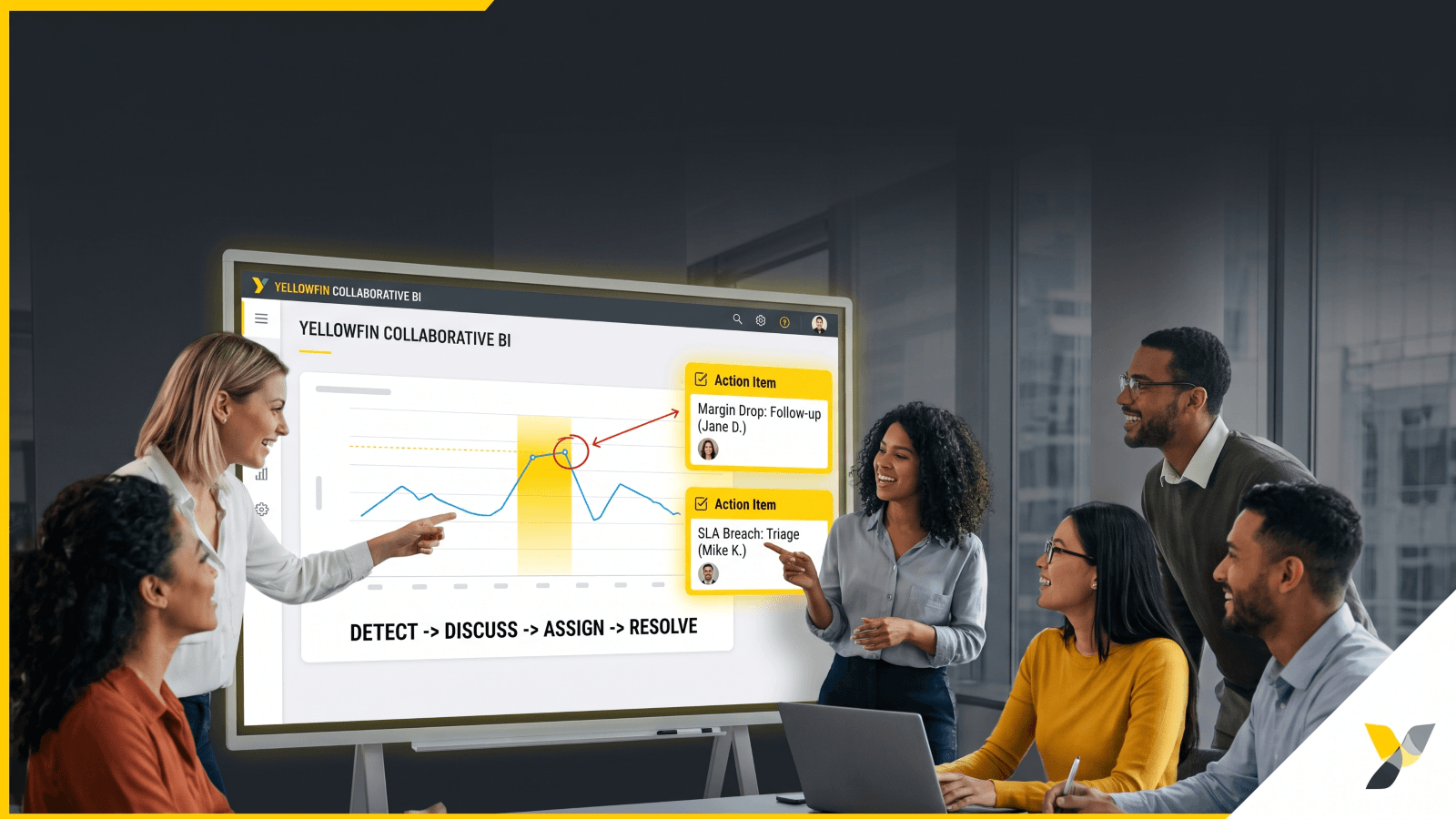
Here’s a scenario, and not an uncommon one either. A dashboard flags a margin drop on Tuesday morning. Someone from the Sales team adds a comment. Finance adds another. A colleague from Operations agrees the number looks wrong. By Friday, the issue is still open, and no one owns the fix. That is the gap in many business intelligence collaboration setups. The data was shared. The discussion happened. The decision never moved.
That is where collaborative BI has real value. Not in more chatter. Not in more views. It matters when insight is tied to workflow, ownership, escalation, and closure. Shared analytics should help teams act, not just react. If a tool shows a problem but leaves the “who” and “when” of the follow-up vague, it only creates noise.
This article looks at collaborative BI as an operating model. It covers annotations, task ownership, escalation, and accountability loops. It also shows how Yellowfin collaborative BI helps teams move from passive BI consumption to active business process execution. This matters for analysts, operations leaders, business managers, and executives who need action, not just visibility.
What collaborative BI means in an operational context
In practical terms, collaborative BI is a shared space where teams can interpret data, agree on next steps, assign owners, and close the loop. The workflow is simple, but many teams stop too early.
-
- “I saw the issue.”
- “We discussed the issue.”
- “Someone owns the issue.”
- “The issue is resolved and tracked.”
That last step is where the business sees value. Without it, analytics becomes a record of concern instead of a tool for action. With it, teams move faster, miss fewer anomalies, and stay aligned across functions.
This lines up with the broader idea of decision intelligence, which Gartner describes as “a discipline that combines data, decisions, and outcomes”. Read more in Gartner’s glossary on decision intelligence. In that same spirit, collaborative BI should support the full path from signal to decision to action.
Why does operational collaboration matter for analytics and leadership?
The need is strongest in live business areas. Supply chain teams need fast responses to volatile elements like stock shifts. Sales leaders need a quick and prescient review of pipeline slippage. Finance teams need a clear path through variances. Support teams need to route spikes before queues back up. Workforce planning needs fast follow-up when absence trends change. Nobody wants to be fighting metaphorical fires – just like actual fires, prevention is always better and that carries through to early detection of business hotspots that can fan into flames.
Executives also need more than a dashboard. They need a governance-friendly way to see who reviewed an issue, who owns it, and what happened next. That is where Yellowfin’s live data approach and data storytelling model fit well. Teams can act on current numbers and keep the story attached to the metric.
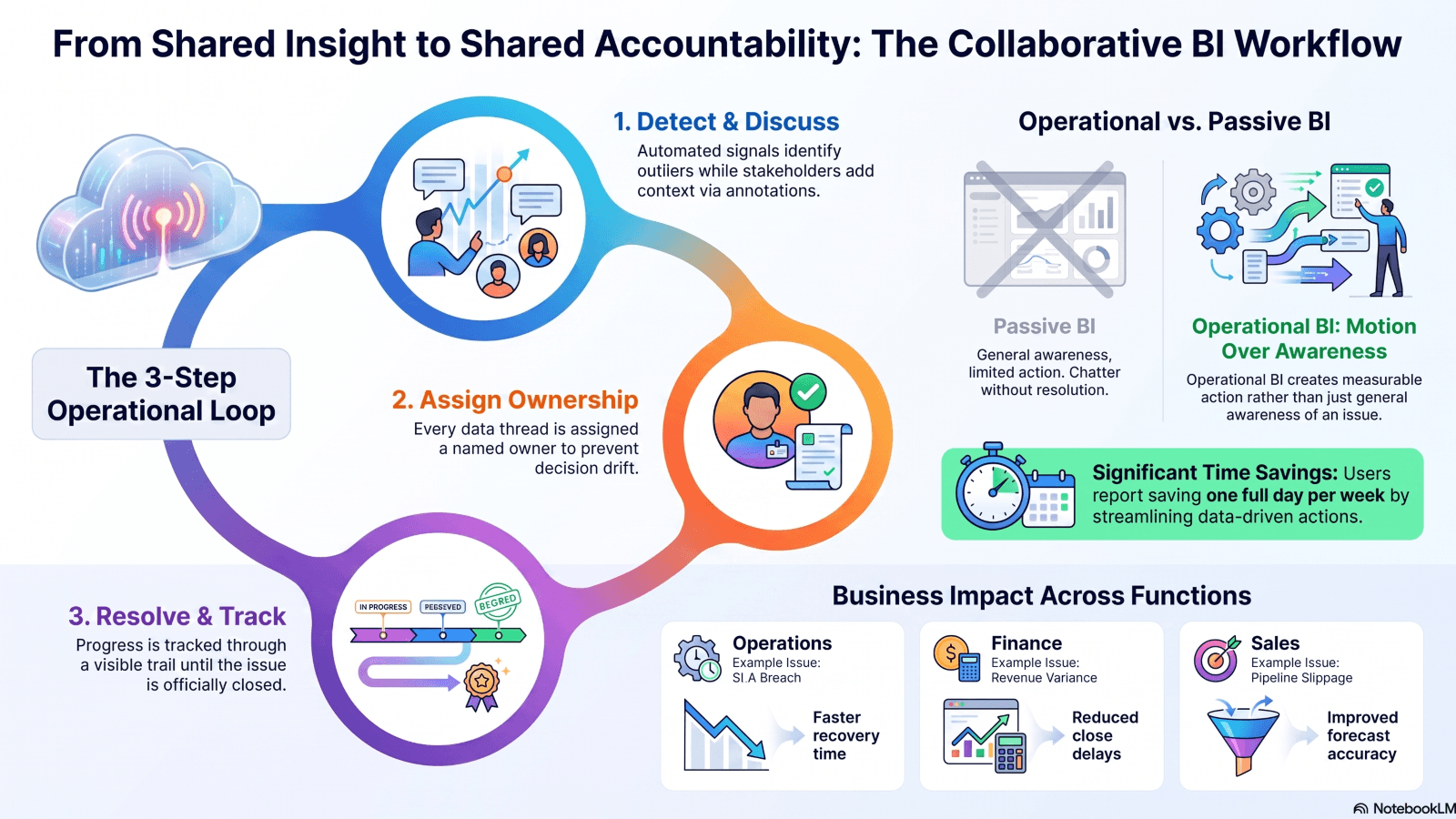
Operational collaborative BI works best in four steps.
- Detect: A dashboard, signal, or alert shows a change.
- Discuss: Stakeholders add context and ask questions.
- Assign: One owner gets the next action.
- Resolve: Progress is tracked and the result is visible.
This structure cuts down “BI theater”. That is the kind of activity where people talk about data but nothing changes. A clear workflow gives the team discipline. It also helps leaders see where a process stalls.
How Yellowfin supports the workflow
Yellowfin maps well to that flow. Yellowfin Signals detects changes in real time, so teams see shifts as they happen. Yellowfin Stories gives those numbers context, which helps the business understand what the data means. Comments and annotations keep the discussion tied to the chart or story. Sharing extends visibility to the right people. AI-written explanations can speed up interpretation when the issue needs quick review.
That is where Yellowfin 9.17 matters. Its AI-driven features support faster chart creation and back-and-forth exploration. Tools like Ask Yellowfin and Code Assistant also help users ask questions in plain language and get answers without long setup cycles. For teams that need speed, that lowers friction.
What are the BI collaboration features that matter most?
Annotations work best when they carry business memory. They should do more than add opinion.
Use annotations to:
- explain why an anomaly happened
- note the assumption behind a decision
- record business context that may not be in the metric
- link to a prior fix or past discussion
This keeps teams from repeating the same analysis every week. It also helps new team members understand why a chart looks the way it does. In that sense, BI annotations become part of the operating record.
Escalation and task ownership as the bridge to execution
If a thread has no owner, it can drift. Escalation paths stop that drift. A good collaborative BI setup gives each issue a named owner, a due date, a status, and a visible trail to closure.
That is where a RACI-style model helps. The RACI matrix reference from MindTools is a useful guide for separating who is responsible, accountable, consulted, and informed.
In Yellowfin, comments, sharing, and storytelling can support this flow when the team uses them with clear rules. The tool opens the conversation. The process closes it.
Passive BI collaboration vs operational collaborative BI
| Capability | Passive BI Collaboration | Operational Collaborative BI |
| Comments | Discussion only | Decision context and next steps |
| Sharing | Broad visibility | Right people, right moment |
| Alerts | Notification of change | Triggers investigation and ownership |
| Annotations | Notes in context | Business rationale and resolution record |
| Accountability | Informal follow-up | Assigned owner, due date, escalation path |
| Outcome | Awareness | Measurable action and closure |
The difference is simple. Passive collaboration creates awareness. Operational collaboration creates motion.
How can operations leaders and analytics managers put collaborative BI to work?
Start with a small set of KPIs that matter most. Not every metric needs a response loop. Use the ones that affect money, service, or risk.
A practical workflow looks like this:
- threshold set in the dashboard
- alert sent on breach
- discussion in context
- owner assigned
- resolution tracked
That pattern works best for metrics tied to real process breakpoints. Margin, SLA, cash flow, backlog, forecast variance, churn, and headcount gaps are common examples. Keep it focused. Too many alerts weaken trust.
Create collaboration norms the business will use
Rules matter. Teams need to know:
- what gets annotated
- who can assign ownership
- when escalation starts
- how often reviews happen
Make these rules part of the weekly or daily operating rhythm. Do not leave them as an optional extra. That is how collaborative BI becomes a habit.
Yellowfin Stories and Present helps here. It wraps metrics in a narrative, which gives non-technical users a better path into the discussion. For teams that want analytics inside their own app, Yellowfin embedded analytics brings the workflow closer to where work happens.
Practical use cases by function
| Function | Example Issue | Collaboration Pattern | Business Impact |
| Operations | SLA breach | Signal -> annotation -> assignment | Faster recovery time |
| Finance | Revenue variance | Review -> root cause note -> escalation | Reduced close delays |
| Sales | Pipeline slippage | Shared story -> action owner | Improved forecast accuracy |
| Customer support | Ticket spikes | Team discussion -> triage task | Better response times |
| HR / workforce | Absence trend | Annotated dashboard -> manager follow-up | Lower disruption |
These use cases show that collaborative BI is not just for analysts. It supports many teams that need fast, shared action.
Yellowfin is more than a dashboard tool. It brings together real-time dashboards, data storytelling, comments, sharing, AI-assisted insights, and automated signals. That mix matters because teams rarely need just one thing. They need the alert, the context, the discussion, and the next step in one place.
The platform helps people move from discovery to decision with less friction. A signal appears. A story explains it. A comment adds context. An owner takes it on.
Supporting business users and technical users
Business users get clear visuals and guided interpretation. Analysts get fewer back-and-forth questions because the context stays with the chart. Executives get visibility into who saw the issue and what happened next.
Yellowfin’s white-labeled and embedded analytics options also make it easier to place collaborative BI inside operational apps. That matters when analytics must sit close to service desks, finance tools, sales systems, or customer portals. For more on product fit, see Yellowfin analytics platform overview and Yellowfin customer proof points.
Best practices that make collaborative BI work in real life
A strong setup needs simple guardrails.
- define metric ownership
- limit alert noise
- standardize annotation style
- review closure rates
- keep discussion tied to the metric
Too many alerts or loose comments reduce trust fast. People stop opening alerts when they expect clutter. They stop annotating when no one uses the notes. Governance keeps the system useful.
Measure whether collaboration improves decisions
Track the work like any other process.
Useful metrics include:
- time to acknowledge
- time to assign
- time to resolution
- percent of alerts closed
- repeat issue rate
These metrics show whether the BI workflow is helping the business move faster. For operating cadence and accountability ideas, see Harvard Business Review and McKinsey.
Collaborative BI matters when it becomes part of the decision workflow. Comments help. Sharing helps. But the real value comes when teams assign ownership, track action, and close issues in the open.
That is the line between passive BI and operational BI. If your current setup stops at discussion, it is worth asking a direct question: does the team see data, or do they act on it?
For teams ready to go further, Yellowfin has clear paths to test the model. Request a demo, try the platform, or explore collaborative BI features.